 Selftalk
Kind words on your screen, then they fade away.
Every few minutes Selftalk shows one short, believable line over whatever you are doing. In your language, in a voice that sounds like you. Then it gets out of the way.
Download for Mac Free to try. macOS 14 or later.
Selftalk runs on a Mac. Open this page on your Mac to download it.
A few seconds, then quiet.
A reminder only helps if it never gets in your way. So it is brief, it is soft, and it knows when to stay hidden.
It fades, it doesn't flash
Lines drift in and out slowly. Quick flashes are optional, come with a safety notice, and never strobe.
It hides when you present
Selftalk pauses during screen sharing and calls, so nothing lands in the middle of a meeting.
It's yours to shape
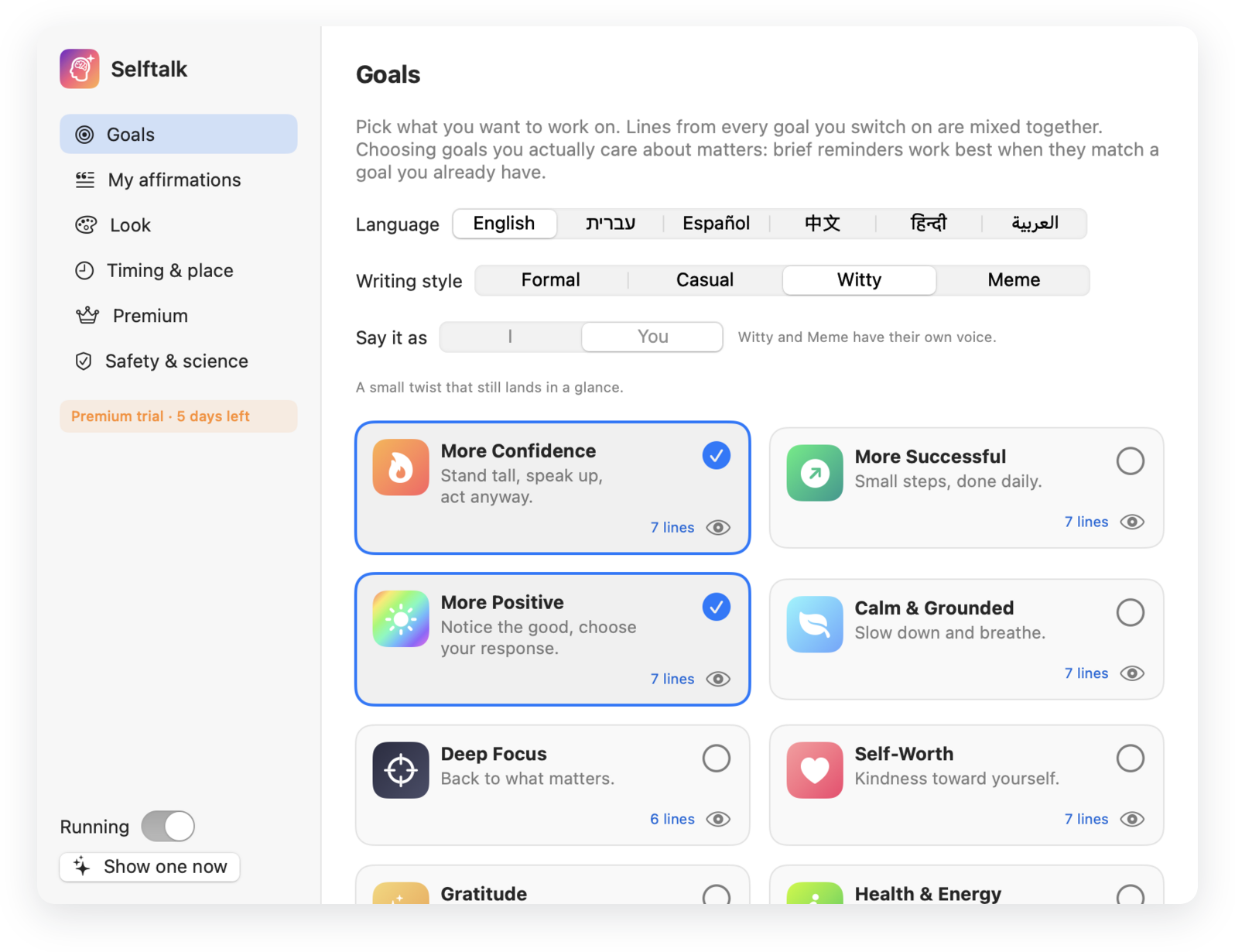
Pick from eight goals, write your own lines, add photos, and set the position, size, color and timing.
It stays on your Mac
No account and no tracking. Your lines and images never leave your computer.
About 3 seconds on screenFades in, stays, fades out.
Then nothing for 1 to 3 minutesYou set the pace. It never comes back sooner than 10 seconds.
Written for your language.
Every goal is written in six languages, not translated word for word. Hebrew and Arabic read right to left, and the I and You forms are worded so they fit anyone.
- EnglishYour voice matters.
- Hebrewהקול שלך חשוב.
- SpanishTu voz importa.
- Chinese你的声音很重要。
- Hindiआपकी आवाज़ मायने रखती है।
- Arabicصوتك مهم.
Lines you can actually believe.
Research on affirmations is mixed, and Selftalk doesn't promise to reprogram your mind. It follows the parts that studies support.
I'm becoming bolder every day.
I am perfect.
Talking to yourself as “you” helps
Second-person self-talk improves composure under stress. Formal and Casual let you choose I or You.
Plans beat wishes
Lines like “When I feel nervous, I breathe and begin” tie an intention to a moment.
It's not therapy
Selftalk is a self-help reminder tool, not a treatment or a medical device.
Install in a minute.
Download and unzip
Drag Selftalk into your Applications folder.
Open it
This early version isn't notarized by Apple yet. If macOS asks, go to System Settings, then Privacy & Security, and click Open Anyway.
Choose your goals
Pick a language and a voice. Your first line appears a moment later, and updates install on their own.