 Selftalk
Short reminders that appear on your screen, then fade away.
Selftalk shows believable affirmations while you work, in your language and in a voice you choose. It is calm by default and built on research, not on promises to reprogram your mind.
Download for Mac Free to try. Needs macOS 14 or later.
Selftalk runs on a Mac. Open this page on your Mac to download it.
Your comfort zone called. Nobody misses it.
Quiet by design
A reminder is only useful if it does not get in your way. Selftalk keeps it light.
- Fades in and out
- The default is a slow fade. Quick flashes are optional and come with a safety notice. Nothing appears more than once every 10 seconds, and there is never any strobing.
- Steps aside when you present
- Selftalk pauses itself during screen sharing and calls, so a reminder never lands in the middle of your meeting.
- Yours to shape
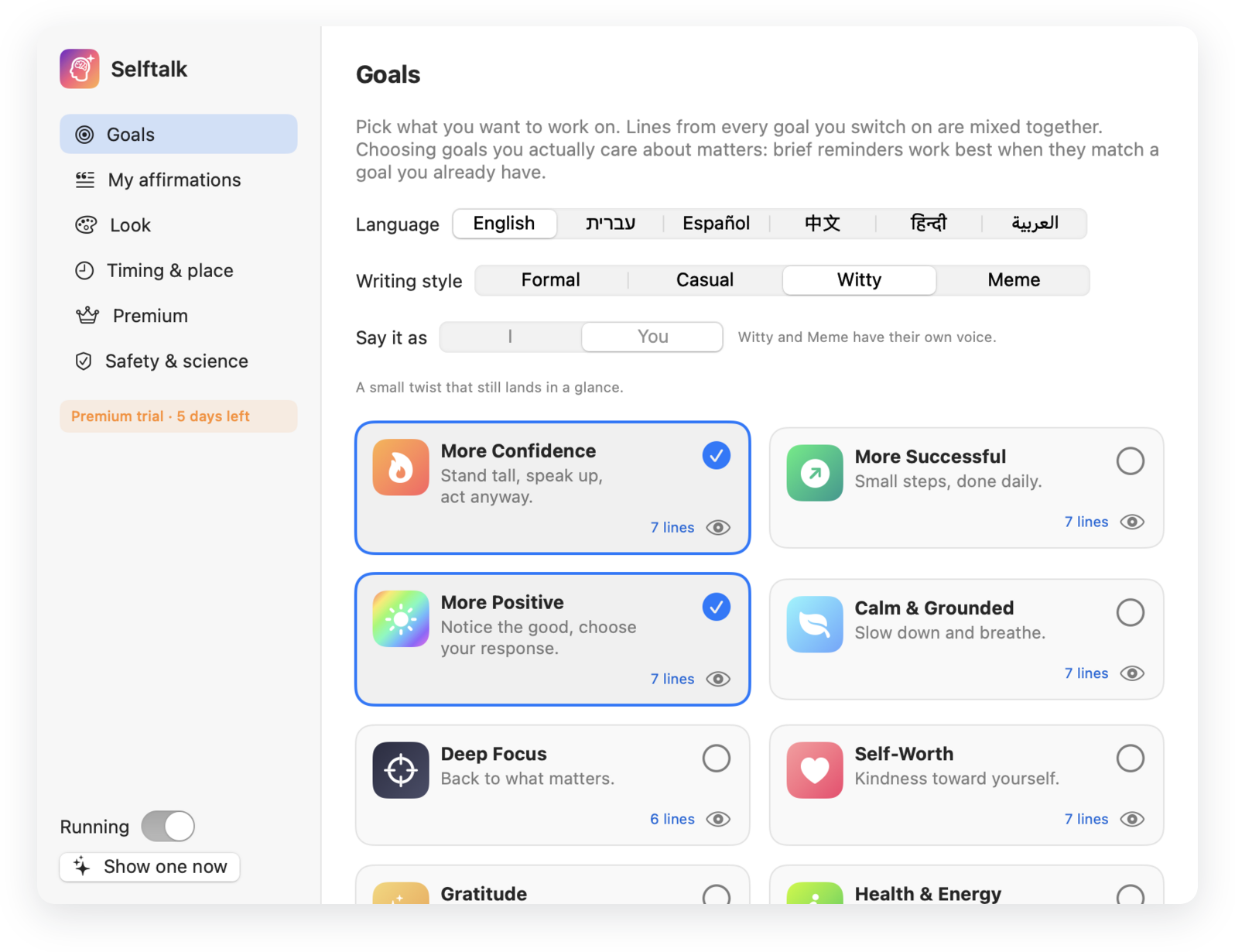
- Start with eight goals, then write your own lines, add photos, and choose the position, size, color and timing.
- Private
- No account. Your lines and images stay on your Mac.
In your language
Every goal is written for each language, not machine-translated word for word. Hebrew and Arabic read right to left.
- English
- עברית
- Español
- 中文
- हिन्दी
- العربية
Based on research, honest about its limits
NLP itself has little evidence behind it, so Selftalk does not pretend otherwise. It uses what studies do support.
- Believable beats big
- Lines like “I'm becoming bolder every day” help. Over-the-top claims like “I am perfect” can backfire, so Selftalk avoids them.
- “You” works well
- Talking to yourself in the second person improves composure under stress. Choose I or You for the Formal and Casual voices.
- Plans, not just wishes
- Lines such as “When I feel nervous, I breathe and begin” turn an intention into an action.
- Not a treatment
- Selftalk is a self-help reminder tool. It is not therapy and not a medical device.
Install in a minute
This early version is signed but not yet notarized by Apple, so macOS asks you to confirm the first time.
- Download and open the zipDrag Selftalk into your Applications folder.
- Open itIf macOS says it cannot verify the developer, go to System Settings, then Privacy & Security, and click Open Anyway.
- Pick a language, a voice and your goalsYour first reminder appears a moment later. Selftalk lives in the menu bar, the Dock and the app switcher, and keeps itself up to date.
Be kind to yourself, on a schedule.
Free to try for Mac. Updates install automatically.
Download SelftalkLatest version